Introduction
Choosing the right storage architecture is an important part of configuring a dedicated server. RAID can help a server continue operating when a drive fails, improve read or write performance in some configurations, and make better use of multiple disks. However, not every RAID solution provides the same features or level of data protection.
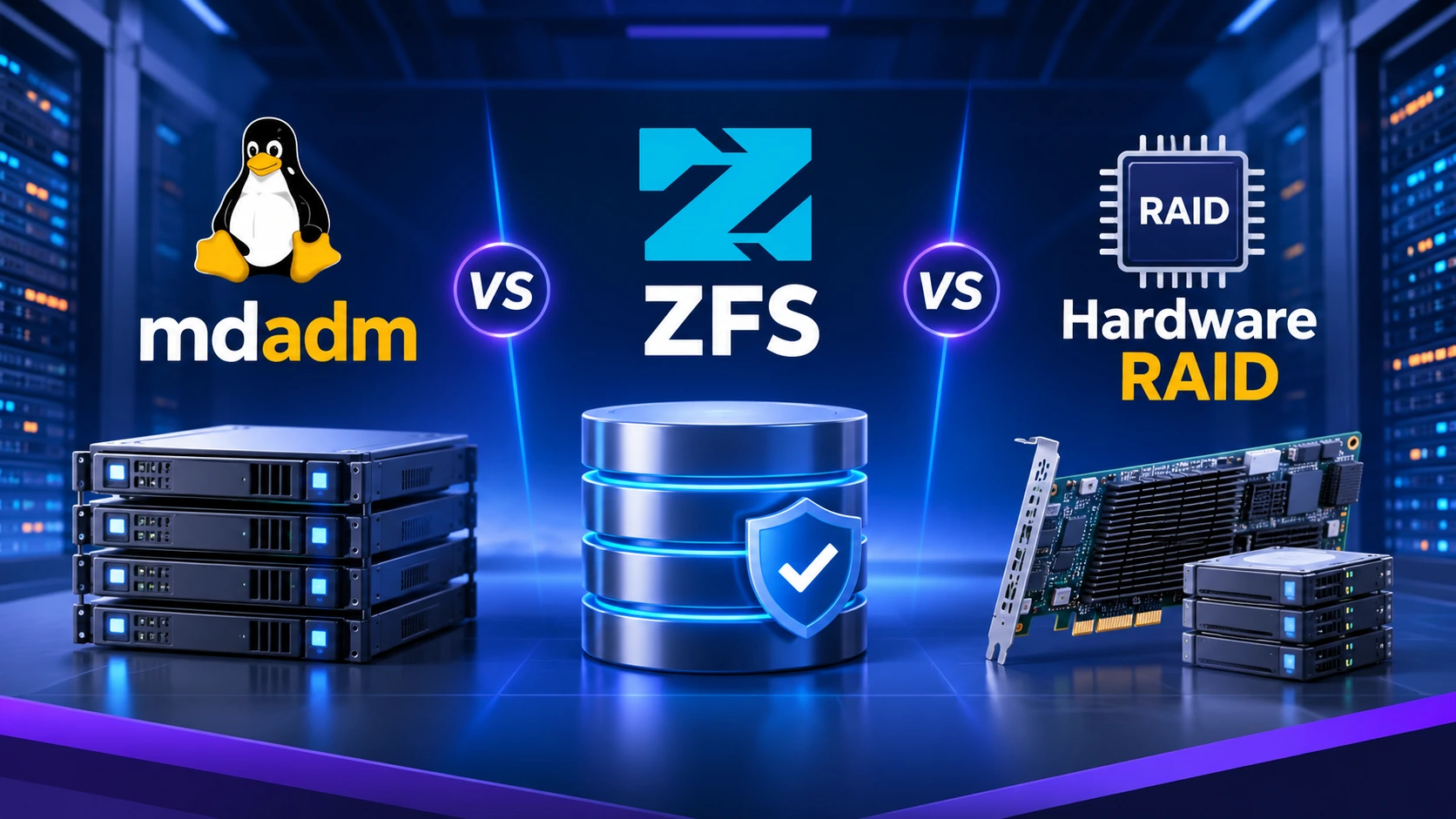
Three common options are mdadm, ZFS, and hardware RAID. mdadm is a Linux software RAID management tool. ZFS combines a filesystem with volume-management and data-integrity features. Hardware RAID uses a dedicated controller to manage disk arrays, often with its own cache and firmware.
The best choice depends on the server's workload, operating system, drive layout, performance targets, recovery requirements, and backup strategy. This guide explains how the three approaches differ and how to choose one for a dedicated server.
What Is RAID, and What Does It Actually Protect Against?
RAID (Redundant Array of Independent Disks) combines multiple physical drives into one logical storage arrangement. Depending on the RAID level, an array can provide redundancy, higher throughput, or a balance of both.
Common RAID levels include:
-
RAID 0: stripes data across drives for performance and capacity, but provides no redundancy. A single drive failure can destroy the array.
-
RAID 1: mirrors data between drives. A surviving mirror may keep the server online after one drive fails.
-
RAID 5: uses distributed parity and can tolerate one drive failure. Rebuilds can take time and place additional load on the remaining drives.
-
RAID 6: uses dual parity and can tolerate two drive failures.
-
RAID 10: combines mirroring and striping. It can provide strong performance and redundancy, but usable capacity is typically about half of the raw capacity.
RAID is not a backup. It does not protect against accidental deletion, filesystem corruption replicated across the array, ransomware, theft, fire, or site-wide failure. Maintain independent backups and test restores, even when using mirrored or parity-protected storage.
What Is mdadm Software RAID?
mdadm is a Linux utility used to create, manage, monitor, and recover Linux software RAID devices, commonly known as MD arrays. The Linux kernel performs the RAID work, while mdadm provides the administration interface.
With mdadm, administrators can create RAID 1, RAID 5, RAID 6, RAID 10, and other supported layouts from compatible block devices. The array is presented to the operating system as a logical block device, which can then be partitioned or formatted with a filesystem such as ext4 or XFS.
Advantages of mdadm:
-
No dedicated RAID controller is required, which can reduce hardware cost and avoid controller lock-in.
-
Array metadata and administration are handled within Linux, making the setup familiar to many Linux administrators.
-
It supports common RAID levels and can be monitored and managed with standard Linux tools.
-
Drives can often be moved to another compatible Linux system for assembly and recovery, subject to metadata, kernel, and configuration compatibility.
-
It is a practical option for web hosting, application servers, databases, and general-purpose dedicated servers.
Limitations of mdadm:
-
It focuses on RAID rather than providing a complete filesystem and data-integrity stack.
-
Filesystem-level checksumming, snapshots, and end-to-end data verification depend on the filesystem and additional tools used above it.
-
RAID performance uses host CPU and memory resources, although modern CPUs generally handle many software RAID workloads efficiently.
-
Administrators must understand array monitoring, degraded operation, rebuilds, and filesystem-level recovery.
mdadm is often a good fit when you want straightforward Linux software RAID, broad hardware flexibility, and control without purchasing a RAID controller.
What Is ZFS?
ZFS is a combined filesystem and storage-management system. Instead of treating RAID and the filesystem as separate layers, ZFS manages storage pools and filesystems together. It uses checksums to detect data corruption and, when redundant copies or parity are available, can repair corrupted data using a known-good copy.
ZFS groups devices into virtual devices (vdevs), which are combined into a storage pool. Common redundant layouts include mirrors and RAIDZ1, RAIDZ2, and RAIDZ3. A pool's reliability and performance depend heavily on its vdev design; adding disks to a pool is not the same as adding disks to a conventional hardware RAID set.
Advantages of ZFS:
-
End-to-end checksumming helps detect silent data corruption, sometimes called bit rot.
-
Redundant mirrors or RAIDZ vdevs can allow ZFS to repair damaged data when another valid copy or parity reconstruction is available.
-
Snapshots provide space-efficient point-in-time views that are useful for recovery and testing.
-
Compression can reduce storage usage and, for some workloads, reduce disk I/O.
-
Replication tools can transfer snapshots to another ZFS system for a useful backup or disaster-recovery workflow.
-
Storage pools and datasets provide flexible management of capacity, quotas, and properties.
Limitations of ZFS:
-
It requires more planning than a basic mdadm array, particularly when selecting vdev layouts and future expansion paths.
-
Pool topology matters: losing a vdev can make the entire pool unavailable, even if other vdevs remain healthy.
-
Memory requirements and tuning depend on workload and features. ZFS can run on modest systems, but adequate RAM and sensible configuration matter for production workloads.
-
Some hardware RAID controllers can hide individual drive status or interfere with ZFS visibility. Direct disk access, commonly through HBA mode or a suitable controller configuration, is generally preferred.
-
Replacing or expanding storage must follow ZFS's supported procedures; capacity expansion options depend on the pool layout and ZFS implementation.
ZFS is especially attractive for storage servers, backup repositories, file servers, and workloads where data integrity, snapshots, and replication are high priorities.
What Is Hardware RAID?
Hardware RAID uses a dedicated RAID controller to manage a group of physical drives and present one or more logical volumes to the operating system. The controller's firmware handles array operations, and many enterprise controllers include protected write-back cache backed by a battery or flash-based power-loss protection.
Advantages of hardware RAID:
-
RAID processing is handled by the controller rather than relying entirely on host software.
-
Protected write-back cache can improve write performance for suitable workloads while helping preserve cached data during power loss.
-
Enterprise controllers often provide management utilities, drive monitoring, hot-swap support, and integration with server management systems.
-
It can be convenient in environments built around a supported server vendor's controller and management ecosystem.
Limitations of hardware RAID:
-
The controller adds cost and creates a hardware dependency. Moving an array to another system may require a compatible controller or a supported import process.
-
Controller failure can complicate recovery, particularly if a replacement controller is not compatible with the original array metadata.
-
The operating system may see logical volumes rather than individual physical disks, which can limit visibility for filesystems that expect direct access to each drive.
-
Performance depends on the controller model, cache protection, firmware, drive type, queue depth, and workload. Hardware RAID is not automatically faster than software RAID.
-
A controller's battery or flash-backed cache protection must be healthy and monitored.
Hardware RAID can be a sensible choice for enterprise environments that standardize on a supported controller, need its management features, or have workloads that benefit from protected controller cache.
mdadm vs ZFS vs Hardware RAID: Key Differences
The main distinction is the layer at which each solution operates. mdadm provides Linux software RAID. ZFS combines storage management and filesystem capabilities. Hardware RAID delegates array management to a controller.
Data integrity: ZFS includes checksumming and self-healing when redundancy is available. mdadm and hardware RAID provide RAID redundancy, but end-to-end file data integrity depends on the filesystem and the wider storage stack.
Snapshots: ZFS provides native snapshots. mdadm does not; snapshots depend on the filesystem or volume-management layer. Hardware RAID itself generally does not provide filesystem-aware snapshots.
Portability: mdadm arrays are generally portable between compatible Linux systems. ZFS pools can be imported on compatible ZFS systems. Hardware RAID arrays may depend on a compatible controller and firmware.
CPU and controller use: mdadm and ZFS use host resources. Hardware RAID uses a dedicated controller, although the operating system still handles filesystem and application work.
Drive visibility: mdadm normally works with individual block devices. ZFS benefits from direct access to physical drives. Hardware RAID may abstract individual disks behind logical volumes.
Management: mdadm is relatively simple for familiar Linux RAID use. ZFS offers more integrated storage features but needs careful pool design. Hardware RAID is managed through controller-specific tools.
No option guarantees that data is safe. Redundancy, monitoring, backups, restore testing, and a recovery plan are all necessary.
Performance: Which RAID Option Is Fastest?
There is no universal performance winner. Results depend on the RAID layout, number and type of drives, controller or HBA, CPU, memory, filesystem, kernel, workload, and cache settings.
For sequential reads and writes, striping across multiple drives can increase throughput. For random I/O, the number of drives, queue depth, latency, and read/write ratio often matter more than the RAID brand. Mirroring can improve read performance in some situations, while parity RAID introduces additional work for small writes.
On modern dedicated servers, software RAID performance can be excellent because CPUs have ample processing capacity. ZFS can also perform well when its pool layout, memory, record size, compression, and synchronous-write behavior are appropriate for the workload. Hardware RAID may benefit from protected write-back cache, but an older or poorly configured controller can become a bottleneck.
For a meaningful comparison, benchmark the actual application workload rather than relying only on a single sequential throughput test. Use tools such as fio carefully, test realistic block sizes and queue depths, and measure latency as well as IOPS and throughput. Benchmark on a non-production system or during a controlled maintenance window.
Data Integrity, Redundancy, and Recovery
Drive redundancy and data integrity are related but different concepts. RAID can keep a volume available after certain drive failures. It does not necessarily detect every form of silent corruption or verify that application data is correct.
ZFS checksums data and metadata and can repair damaged blocks when the pool has another valid copy or sufficient parity. mdadm and hardware RAID can keep an array running after supported drive failures, but they do not independently provide the same filesystem-level end-to-end checksumming model.
Recovery procedures also differ:
-
mdadm: identify the failed member, confirm the array state, replace the drive, and rebuild the array using the correct device and metadata. Avoid forcing assembly unless you understand the risk.
-
ZFS: inspect pool health, identify the affected device or vdev, replace the device using the documented procedure, and monitor the resilver. Do not remove or replace devices casually; pool topology is important.
-
Hardware RAID: use the controller's management interface to identify the failed drive, confirm rebuild status, and follow the vendor's replacement procedure. Keep controller firmware and protected-cache status documented.
Before a failure occurs, record the array or pool layout, device identifiers, controller model and firmware, encryption recovery information, and restore procedure. Keep independent backups and periodically test that they can be restored.
Which RAID Solution Is Best for a Dedicated Server?
Choose the storage architecture based on what the server does and what matters most.
Choose mdadm when:
-
You run Linux and need a straightforward software RAID array.
-
You want to avoid dependence on a specific RAID controller.
-
Your workload needs conventional RAID redundancy and your filesystem strategy is already defined.
-
You value simple administration and broad compatibility across Linux server hardware.
Choose ZFS when:
-
Data integrity and corruption detection are major priorities.
-
You need native snapshots, datasets, compression, or replication.
-
You are building a storage server, backup server, file server, or data-heavy platform.
-
You can plan the pool topology carefully and provide suitable drive access and system resources.
Choose hardware RAID when:
-
Your server platform has a supported enterprise RAID controller.
-
Protected write-back cache and vendor-integrated management are important.
-
Your operating environment and support model are designed around controller-managed logical volumes.
-
Your workload and benchmark results justify the controller.
For many general-purpose Linux dedicated servers, mdadm is a practical and cost-conscious choice. For storage-focused systems where checksumming, snapshots, and replication are valuable, ZFS is often the stronger fit. Hardware RAID remains useful in managed enterprise environments, especially when its controller features are deliberately part of the design.
Example RAID Layouts for Dedicated Server Workloads
The following are starting points, not universal prescriptions:
-
Web hosting or application server: mirrored SSDs or NVMe drives (RAID 1) can provide a simple balance of availability and performance. Choose the filesystem and backup approach separately.
-
Database server: mirrored NVMe devices or RAID 10 may suit write-intensive workloads, depending on database durability settings, latency requirements, and measured I/O patterns.
-
Backup or file storage server: ZFS mirrors or RAIDZ layouts may be useful where checksumming, snapshots, and replication support the recovery strategy.
-
High-capacity storage server: RAIDZ2 or RAIDZ3 may be considered depending on drive count, capacity, rebuild exposure, and acceptable fault tolerance. Model the exact vdev layout before deployment.
-
Performance-only scratch storage: RAID 0 may increase throughput or capacity aggregation, but it has no redundancy and should only hold data that can be recreated.
Always verify usable capacity, failure tolerance, rebuild behavior, and expected performance for the exact number and size of drives.
Important Questions to Ask Before Choosing
Before deploying RAID on a dedicated server, answer these questions:
What is the workload: web hosting, database, virtualization, backup, media, or general file storage?
Are the drives SATA HDDs, SATA SSDs, or NVMe SSDs?
How much usable capacity is required after redundancy?
How many drive failures must the system tolerate?
Is low latency, high sequential throughput, or random IOPS the priority?
Does the operating system need direct access to individual disks?
Can the server support the chosen filesystem, controller mode, and recovery tooling?
How will drive health, array state, pool health, and controller cache be monitored?
Where are independent backups stored, and when was the last restore test?
Who is responsible for rebuilding the array and recovering service after a failure?
These questions help turn a generic RAID comparison into a storage design that matches the server's real requirements.
Conclusion: mdadm, ZFS, or Hardware RAID?
mdadm, ZFS, and hardware RAID solve overlapping but different storage problems. mdadm offers straightforward Linux software RAID. ZFS adds an integrated filesystem, checksumming, snapshots, and advanced storage management. Hardware RAID provides controller-managed arrays and may offer protected cache and vendor-specific management features.
For a typical Linux dedicated server, start by evaluating mdadm if conventional RAID is all you need. Consider ZFS when its data-integrity and storage-management features directly support your workload. Choose hardware RAID when the controller's supported features, cache protection, and operational ecosystem provide a clear advantage.
The right decision is not simply about choosing the fastest RAID option. It is about balancing performance, data integrity, availability, manageability, and recovery. Whichever solution you deploy, combine it with proactive monitoring, documented recovery procedures, and tested off-server backups.
Frequently Asked Questions
Q: Is ZFS better than mdadm?
Not for every workload. ZFS provides integrated filesystem features such as checksumming, snapshots, and storage-pool management. mdadm is simpler when you only need Linux software RAID and plan to use a separate filesystem.
Q: Is software RAID slower than hardware RAID?
Not necessarily. Modern CPUs can handle software RAID efficiently, and performance depends on the drives, RAID level, workload, controller, cache, and configuration. Benchmark the actual server workload before deciding.
Q: Can ZFS be used with a hardware RAID controller?
It is generally preferable for ZFS to have direct access to individual drives, often through an HBA or a controller configured for a suitable passthrough mode. Hiding multiple disks behind a hardware RAID virtual volume can reduce ZFS's visibility and control.
Q: Does RAID replace backups?
No. RAID helps with availability after certain drive failures. It does not protect against deletion, ransomware, site loss, or all forms of corruption. Keep separate backups and test restores.
Q: Which RAID is best for NVMe dedicated servers?
There is no single best layout. RAID 1 or RAID 10 may suit workloads that prioritize low latency and redundancy, while ZFS mirrors or RAIDZ may suit storage-oriented workloads. Choose based on capacity, write behavior, fault tolerance, and measured performance.
Q: Is RAID 0 safe for a production server?
RAID 0 provides no redundancy. A single drive failure can make the entire array unavailable and cause data loss. Use it only when the data is disposable or independently recoverable.
 Explore Our Global Dedicated Server Locations
 Recent Topics for you