Picking a dedicated server usually starts with CPU cores, RAM, and NVMe storage, but network speed deserves the same level of scrutiny. If your infrastructure serves large files, streams media, replicates backups, or moves data between systems, the port speed on your dedicated server can matter just as much as the processor inside it.
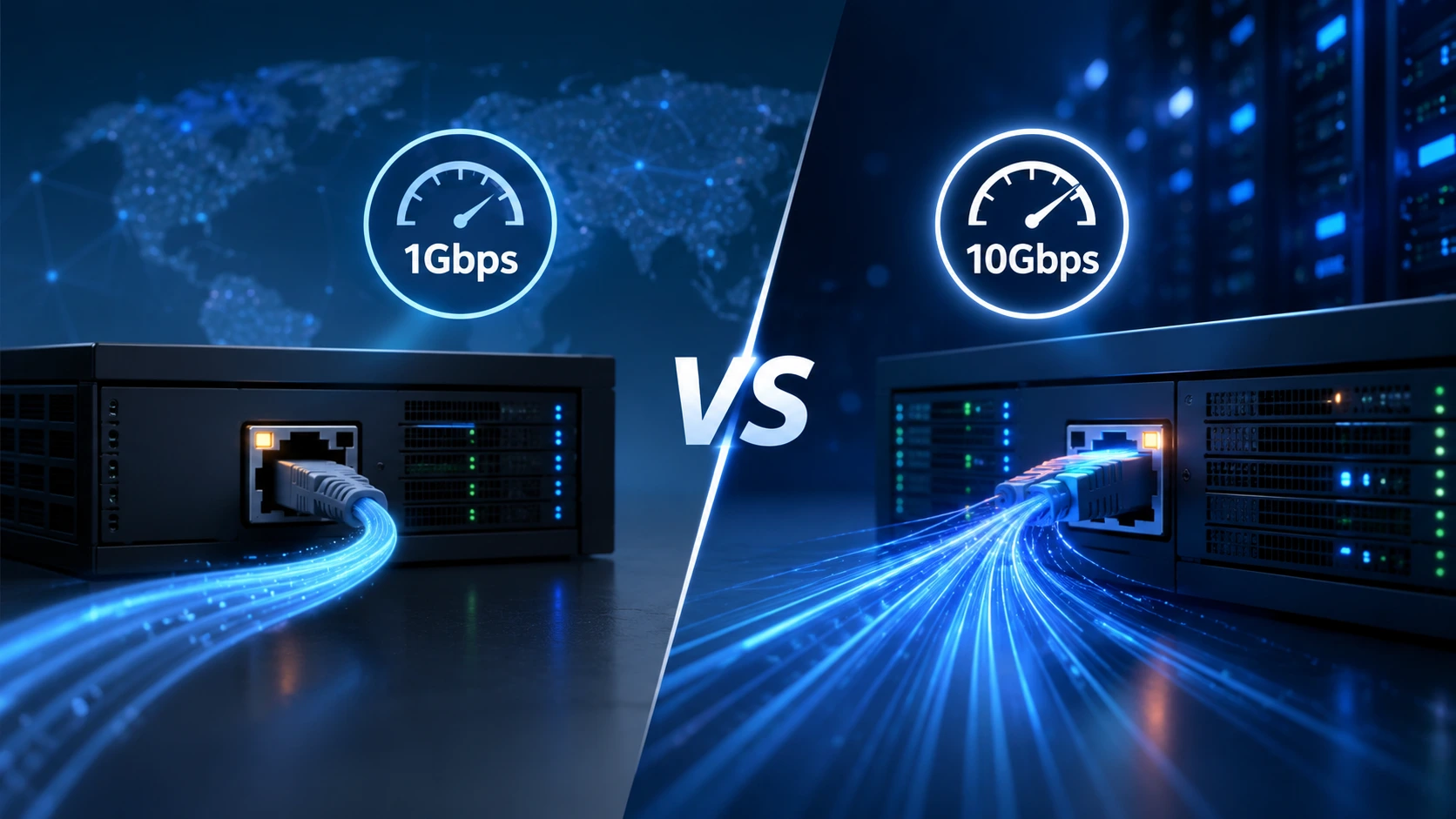
The most common decision point is a 1Gbps dedicated server vs a 10Gbps dedicated server. Both are capable, reliable options; they're simply built for different traffic profiles.
The real question isn't "which is faster on paper?"
It's:
Which network speed actually matches your workload?
This guide breaks down what 1Gbps and 10Gbps connections mean in practice, which use cases fit each one, and how to decide without overpaying for bandwidth you'll never use.
Quick Answer: 1Gbps or 10Gbps Dedicated Server?
-
1Gbps comfortably covers most websites, business applications, APIs, SaaS platforms, databases, and development environments.
-
10Gbps earns its cost when a workload consistently moves large volumes of data think video streaming, CDN origin servers, large-scale file distribution, high-volume backups, storage servers, and virtualization clusters.
-
A bigger number isn't automatically a better fit. Your server's CPU, storage subsystem, and network equipment all need to be capable of using that extra capacity, or it just sits idle.
What Is a 1Gbps Dedicated Server?
A 1Gbps connection provides a theoretical maximum link speed of 1 gigabit per second—roughly 125 MB/s of throughput once you convert from bits to bytes, before protocol overhead and real-world conditions come into play.
That's a substantial amount of headroom for the majority of hosting workloads, including:
-
Business and corporate websites
-
E-commerce platforms
-
Web applications and APIs
-
SaaS products
-
Game servers
-
Hosting control panels
-
Development and staging environments
-
Remote administration
-
Database-backed applications
If your application typically uses only a fraction of a 1Gbps uplink, jumping to 10Gbps won't make pages load ten times faster; the bottleneck was never the network to begin with.
What Is a 10Gbps Dedicated Server?
A 10Gbps connection delivers up to ten times the theoretical capacity of 1Gbps—around 1.25 GB/s at the link level, again before overhead and real-world limitations.
That extra ceiling matters for workloads that continuously push large amounts of data, such as:
-
High-traffic media and streaming platforms
-
CDN origin servers
-
Large-scale file distribution
-
High-volume backup infrastructure
-
Storage servers and private cloud environments
-
Virtualization clusters
-
Data-intensive and research applications
-
Large database replication
COLO BIRD offers both 1Gbps and 10Gbps dedicated server configurations, including unmetered bandwidth options, so you can match network capacity to the infrastructure you're actually running.
1Gbps vs 10Gbps Dedicated Server: Side-by-Side Comparison
| Feature | 1Gbps Dedicated Server | 10Gbps Dedicated Server |
|---|---|---|
| Link capacity | Up to 1Gbps | Up to 10Gbps |
| Approx. theoretical throughput | 125 MB/s | 1.25 GB/s |
| General websites | Excellent | Usually unnecessary |
| E-commerce | Excellent | Useful at very high traffic volumes |
| APIs and SaaS | Excellent | Useful at large scale |
| Game servers | Often sufficient | Useful for high-volume environments |
| Streaming | Suitable for moderate delivery | Better for high-volume delivery |
| Large file distribution | Good | Excellent |
| Backups | Good | Much faster for large transfers |
| Storage servers | Good | Excellent |
| Virtualization clusters | Depends on workload | Strong fit for data-heavy clusters |
| CDN infrastructure | Suitable for smaller nodes | Better for high-throughput nodes |
| Infrastructure cost | Usually lower | Usually higher |
| Hardware requirements | Lower | Higher |
| Best fit | General-purpose workloads | Data-intensive workloads |
Theoretical Speed vs Real-World Throughput
A 1Gbps or 10Gbps port is a ceiling, not a guarantee. Actual throughput on a dedicated server depends on:
-
Network protocol overhead and packet size
-
TCP behavior, latency, and routing
-
Packet loss
-
Server CPU performance
-
Storage speed and RAID configuration
-
Application architecture
-
Operating system and network interface configuration
-
Upstream and downstream capacity at both ends
A server with a 10Gbps interface but slow storage still won't hit 10Gbps on large file transfers. Likewise, an application generating only 100Mbps of traffic gains nothing from a 10Gbps uplink. Network speed has to be evaluated as one piece of the full server architecture, not as an isolated spec.
When a 1Gbps Dedicated Server Is Enough
-
Business websites. Corporate sites, blogs, and content-driven pages rarely need a 10Gbps uplink; page speed depends far more on caching, database tuning, and asset optimization than on port capacity.
-
E-commerce stores. Most small and mid-sized online stores run comfortably within 1Gbps. Only very large platforms with sustained high traffic and heavy media delivery start to test that ceiling.
-
SaaS and web applications. Most SaaS platforms don't continuously consume gigabits of traffic, leaving plenty of room to grow on a well-configured 1Gbps server.
-
Development and testing. CI/CD pipelines, staging environments, and internal tools rarely need a public 10Gbps uplink unless developers are regularly moving very large datasets.
-
Game servers. For most dedicated game server deployments, latency, CPU performance, and memory matter more than raw port speed.
When a 10Gbps Dedicated Server Makes Sense
-
Video streaming and media delivery. Serving high-resolution video to many concurrent viewers generates significant outbound traffic; 10Gbps provides the aggregate capacity to keep up.
-
CDN and content distribution. Origin servers fielding high request volumes from edge locations benefit from the extra headroom during traffic spikes.
-
Large file distribution. Software packages, datasets, disk images, and other large objects move noticeably faster with 10Gbps of available throughput.
-
Backup and disaster recovery. Large backup sets transfer much faster over 10Gbps, provided storage and the remote endpoint can keep pace; this is useful for shorter backup windows and frequent replication.
-
Storage and data transfer servers. Dedicated storage infrastructure moving data between users, applications, and backup systems benefits from a connection that won't become the limiting factor.
-
Virtualization and private cloud. East-west traffic between VMs, storage, and backup nodes can be substantial in data-intensive clusters.
-
High-traffic platforms. Sustained traffic that regularly pushes toward 1Gbps saturation is a clear signal to plan for more headroom.
Does 10Gbps Make a Website Load Faster?
Not automatically, and this is the distinction most people miss.
If a website typically uses 50Mbps of traffic, moving from 1Gbps to 10Gbps changes nothing meaningful, because the application was never close to saturating its existing 1Gbps connection. Website performance is driven far more by:
-
CPU and RAM capacity
-
NVMe storage performance
-
Database and application-level optimization
-
Web server configuration and caching
-
CDN setup
-
Network latency
-
Code and asset optimization
A 10Gbps connection pays off when the workload can actually generate or absorb significantly more traffic, not as a default upgrade.
1Gbps vs 10Gbps for Large File Transfers
This is where the gap becomes obvious. At theoretical link rates:
-
1Gbps ≈ 125 MB/s
-
10Gbps ≈ 1.25 GB/s
A 100GB dataset transfers in a fraction of the time over a fully utilized 10Gbps connection compared to 1Gbps. In practice, real-world speeds will run lower than the theoretical maximum because of protocol overhead, disk performance, and limitations at both ends of the transfer, so evaluate the entire transfer path, not just the port speed listed on the server.
Network Speed Isn't the Same as Bandwidth Allowance
A 10Gbps port describes interface capacity; it says nothing about your monthly data transfer allowance. Hosting providers vary widely here, offering:
-
Metered bandwidth
-
Monthly traffic quotas
-
Unmetered bandwidth
-
Different port speeds
-
Committed traffic rates
-
Shared or dedicated uplinks
COLO BIRD's dedicated server lineup includes both 1Gbps and 10Gbps options, with unmetered bandwidth configurations available. Always confirm the specific traffic terms before ordering.
What Hardware Does 10Gbps Actually Require?
To make use of a 10Gbps connection, the rest of the server needs to keep up:
-
A 10GbE network interface
-
A sufficiently powerful CPU
-
Fast RAM
-
NVMe SSD storage for data-intensive workloads
-
Adequate PCIe connectivity
-
An OS and network stack tuned to handle the throughput
-
Network infrastructure on the provider's side that supports 10Gbps
Storage is often the real bottleneck for file-serving workloads; if your storage can't read or write fast enough, a faster network interface alone won't help. The remote endpoint matters too: you can't transfer data at 10Gbps to a destination capped at 1Gbps.
How to Decide Between 1Gbps and 10Gbps
-
1. Check your current network utilization. Look at average and peak inbound/outbound traffic, plus spikes during backups, scheduled jobs, and peak customer activity.
-
2. Identify actual bottlenecks. If your existing 1Gbps server regularly approaches its limit, that's a real signal. If traffic stays well below the ceiling, a 10Gbps upgrade likely won't move the needle.
-
3. Examine storage performance. For high-volume transfers, confirm your SSDs, RAID configuration, and storage architecture can actually supply data fast enough to use the extra bandwidth.
-
4. Plan for growth. If traffic, file distribution, streaming, or backup volume is expected to scale up significantly, extra headroom now can avoid a disruptive migration later.
-
5. Compare total cost, not just port price. Factor in CPU, RAM, storage, bandwidth allowance, data center location, network quality, and uptime commitments; a cheap 10Gbps server isn't a good deal if nothing else in the stack can use that capacity.
1Gbps vs 10Gbps: Which Should You Choose?
Choose 1Gbps if:
-
You run a standard business website or e-commerce store
-
You operate SaaS or API workloads at typical scale
-
You manage development or staging environments
-
You run a moderate game server
-
Your current network usage stays well below 1Gbps
-
You want solid performance without paying for unused capacity
Choose 10Gbps if:
-
You regularly transfer very large datasets
-
You run high-volume streaming or CDN infrastructure
-
You distribute large files at scale
-
You operate storage-heavy or virtualization-heavy infrastructure
-
You need faster backup and replication windows
-
Your existing connection is consistently approaching saturation
-
You need meaningful headroom for future traffic growth
The Right Network Speed Is the One Your Workload Can Actually Use
There's no universal winner in the 1Gbps vs 10Gbps dedicated server comparison, only the option that matches what your infrastructure can put to work. For most organizations, 1Gbps delivers an excellent balance of performance, scalability, and cost. For traffic-heavy, data-intensive infrastructure, 10Gbps removes a real bottleneck and creates room to grow.
Base the decision on measured traffic, not on the biggest number on the spec sheet.
COLO BIRD provides dedicated server configurations with both 1Gbps and 10Gbps connectivity, including unmetered bandwidth options, so you can pair the right network capacity with the CPU, RAM, storage, and data center location your workload needs.
Frequently Asked Questions
Q: Is 10Gbps better than 1Gbps for a dedicated server?
10Gbps offers ten times the theoretical link capacity, but it isn't automatically better for every workload. It's most valuable when applications regularly transfer large volumes of data or when a 1Gbps connection has become a genuine bottleneck.
Q: Is 1Gbps enough for a dedicated server?
Yes, for most websites, e-commerce stores, SaaS applications, APIs, game servers, and development environments, 1Gbps is more than sufficient.
Q: How fast is a 1Gbps dedicated server?
Roughly 125 MB/s at the theoretical maximum, with actual throughput depending on protocol overhead, network conditions, storage speed, CPU load, and the remote endpoint.
Q: How fast is a 10Gbps dedicated server?
Roughly 1.25 GB/s at the theoretical maximum, with real-world performance shaped by the full network and server architecture.
Q: Who needs a 10Gbps dedicated server?
Organizations running streaming platforms, CDN infrastructure, large-scale file distribution, storage servers, high-volume backup systems, virtualization clusters, or other traffic-heavy workloads.
Q: Does 10Gbps improve website loading speed?
Not automatically. Website speed depends on application processing, database performance, caching, storage, and latency far more than raw network capacity. A 10Gbps connection helps mainly when the network itself is the limiting factor.
Q: Is 10Gbps worth it for gaming servers?
Usually not for typical deployments, since latency, CPU performance, and memory tend to matter more. Larger hosting environments running many game servers simultaneously may benefit from the extra capacity.
Q: What's the difference between 1Gbps and 10Gbps bandwidth?
1Gbps and 10Gbps describe link speed, not monthly data allowance. A server can have a 10Gbps port with a traffic limit, or a 1Gbps port with unmetered bandwidth; always check both specifications separately.
Q: Can a dedicated server actually use the full 10Gbps speed?
Only if the server hardware, network interface, storage, software, remote endpoint, and network path can all support that throughput together. The port speed alone doesn't guarantee 10Gbps at the application level.
 Explore Our Global Dedicated Server Locations
 Your Voice Matters: Share Your Thoughts Below!
 Recent Topics for you