Why GPU Dedicated Servers Are the Backbone of 2026 AI Infrastructure
Every enterprise racing to deploy AI right now hits the same wall: cloud GPU instances are expensive, shared, and unpredictable, while consumer graphics cards can't handle production workloads. The gap between "renting compute" and "owning performance" is exactly where dedicated servers built around professional-grade GPUs come in.
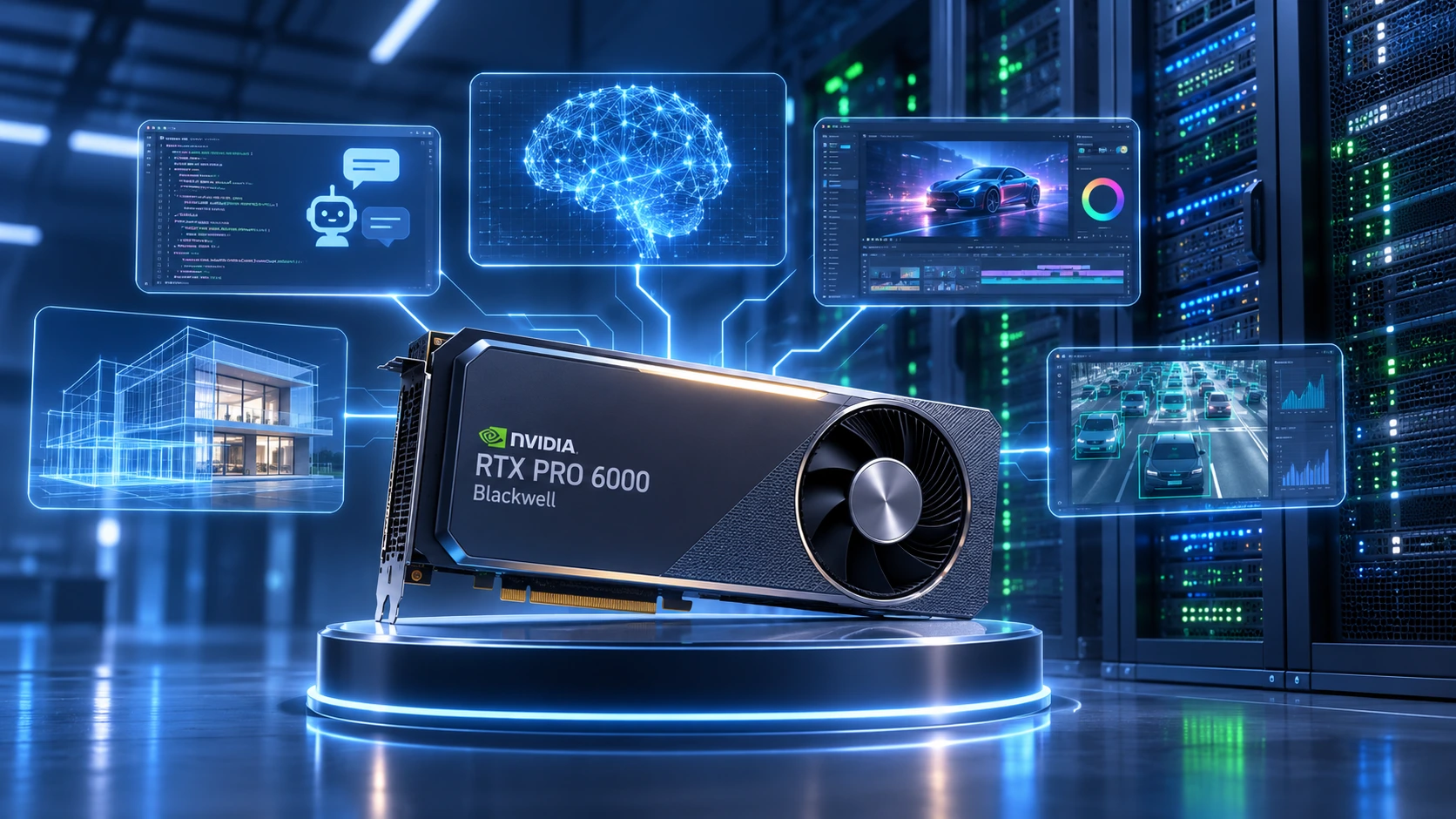
The NVIDIA RTX PRO 6000 Blackwell is the GPU driving that shift. Built on NVIDIA's Blackwell architecture, it's engineered for AI inference, large language model deployment, real-time rendering, and enterprise virtualization, the kind of sustained, mission-critical workloads that only a dedicated server can deliver reliably.
This guide breaks down what the RTX PRO 6000 Blackwell actually offers, which workloads it's built for, and why pairing it with a dedicated GPU server, rather than a shared cloud instance, is becoming the standard for AI-driven businesses in 2026.
What Is the NVIDIA RTX PRO 6000 Blackwell?
The RTX PRO 6000 Blackwell is NVIDIA's flagship professional workstation and server GPU, purpose-built for enterprise AI development, digital content creation, engineering simulation, and scientific research. It's not a gaming card wearing a business suit; it's a different class of hardware entirely.
What separates the RTX PRO 6000 from consumer graphics cards:
-
Enterprise-grade reliability for 24/7 uptime on dedicated infrastructure
-
Certified professional drivers validated against engineering and creative software
-
ECC (Error-Correcting Code) memory to prevent data corruption during long compute jobs
-
Large VRAM capacity for oversized AI models and datasets
-
Virtualization support for multi-user, multi-tenant GPU environments
-
Sustained high-performance operation under continuous enterprise load
Combined with next-generation RT Cores, Tensor Cores, and high-bandwidth memory, the RTX PRO 6000 is designed to accelerate the exact workloads modern businesses are scaling: generative AI, inference APIs, 3D rendering pipelines, and virtual desktop infrastructure.
Why the Blackwell Architecture Matters for AI Workloads
Blackwell isn't an incremental refresh; it's a structural shift in how NVIDIA approaches AI acceleration. Instead of optimizing purely for graphics throughput, Blackwell prioritizes AI inference speed, memory efficiency, and lower power draw per workload, the metrics that matter most when a GPU is running inside a dedicated server around the clock.
Key architectural gains include:
-
Higher Tensor Core throughput for AI training and inference
-
Faster FP8 and FP4 precision operations, critical for LLM inference speed
-
Improved memory bandwidth for large-model deployment
-
Next-generation ray tracing performance for rendering workloads
-
Lower latency for real-time AI applications
-
Enhanced virtualization for secure multi-user GPU sharing
For organizations weighing cloud GPU rental against dedicated server ownership, these efficiency gains directly translate into lower cost-per-inference and more predictable performance, two of the biggest reasons businesses are moving local AI infrastructure onto dedicated hardware.
NVIDIA RTX PRO 6000 Blackwell Specifications
| Specification | RTX PRO 6000 Blackwell |
|---|---|
| Architecture | Blackwell |
| Memory | Large-capacity GDDR7 with ECC support |
| AI Tensor Cores | Latest generation |
| RT Cores | Next generation |
| CUDA Cores | Enterprise-optimized |
| PCIe Interface | PCIe Gen5 |
| Display Support | Multiple 8K displays |
| Virtualization | Supported |
| ECC Memory | Yes |
| Driver Certification | Enterprise-certified |
Note: Exact clock speeds, VRAM size, and CUDA core counts vary by OEM configuration and dedicated server provider, always confirm exact specs with your hosting provider before deployment.
Because it's engineered for professional software rather than gaming benchmarks, the RTX PRO 6000 is built to run continuously, exactly the profile a dedicated server environment demands.
Core Capabilities of the RTX PRO 6000 Blackwell
1. Enterprise-Scale AI Performance
AI inference, fine-tuning, retrieval-augmented generation (RAG), and generative image or video models all depend on massive parallel matrix computation. The RTX PRO 6000's Tensor Cores are built to accelerate:
-
LLM inference and fine-tuning
-
Computer vision and image recognition
-
Natural language processing (NLP)
-
Video intelligence and analytics
-
AI-assisted software development pipelines
Running these workloads on a dedicated GPU server, rather than a shared cloud instance, means enterprises keep full control over sensitive data while avoiding the "noisy neighbor" performance drops common in multi-tenant cloud environments.
2. Professional-Grade Rendering Performance
Creative and engineering teams rely on RT Core acceleration for:
-
Architectural and product visualization
-
Film and animation production
-
Visual effects (VFX) pipelines
-
Automotive and industrial design
Applications like Blender, Autodesk Maya, Unreal Engine, Cinema 4D, and Adobe Substance 3D all benefit directly from Blackwell's rendering improvements, particularly when deployed on a dedicated server with no resource contention from other tenants.
3. Large Memory Capacity for Demanding Workloads
Modern AI models and engineering datasets keep growing. High-capacity VRAM lets professionals work with:
-
Large CAD assemblies and digital twins
-
Complex engineering simulations
-
Medical imaging datasets
-
Geospatial and satellite data
-
Large-parameter AI models
-
Scientific visualization
More onboard memory means less constant data transfer between CPU and GPU, a bottleneck that quietly kills performance in undersized configurations.
4. Enterprise Reliability You Can Build a Business On
Production environments can't tolerate downtime. The RTX PRO 6000 is built with:
-
ECC memory for data integrity
-
Certified, long-term-supported drivers
-
Extensive professional software certification
-
Stable firmware and optimized thermal management
These aren't nice-to-haves, they're the difference between a GPU you can run a business-critical inference API on and one you can't.
AI and Enterprise Workloads That Benefit From RTX PRO 6000 Dedicated Servers
Large Language Model Deployment
Organizations are self-hosting models like Llama, Mistral, DeepSeek, Qwen, and Gemma, as well as fine-tuned custom LLMs directly on dedicated infrastructure. Local deployment on a dedicated server improves data privacy and eliminates the recurring, often unpredictable costs of cloud inference APIs.
Computer Vision
-
Object detection and facial recognition
-
Manufacturing quality inspection
-
Medical diagnostics and imaging
-
Video analytics and autonomous systems
High-Throughput AI Inference
Businesses running production AI assistants need consistent, low-latency throughput for:
-
Customer support chatbots
-
Internal knowledge-retrieval assistants
-
Search and recommendation engines
-
Automated document processing
Engineering and CAD Workloads
Precision-dependent engineering software Autodesk Inventor, SOLIDWORKS, CATIA, Siemens NX, PTC Creo, ANSYS, Altair, and COMSOL benefits from faster assembly loading and smoother viewport responsiveness when paired with a dedicated GPU server rather than shared virtual compute.
Scientific and High-Performance Computing (HPC)
Research institutions deploy GPU dedicated servers for:
-
Molecular simulation and drug discovery
-
Climate and weather modeling
-
Genomics and bioinformatics
-
Financial risk analytics
-
Computational chemistry and physics simulations
Virtual Workstations and GPU Virtualization
The RTX PRO 6000's virtualization support allows multiple users to securely access GPU resources remotely, a model widely adopted across architecture, healthcare, manufacturing, oil & gas, education, and government sectors.
Why Dedicated GPU Servers Beat Cloud GPU Rental for Serious Workloads
Cloud GPU instances offer flexibility, but flexibility comes at the cost of predictability. A dedicated GPU server gives you exclusive, uncontested access to hardware, no noisy-neighbor slowdowns, no sudden availability shortages, no billing surprises.
Businesses are choosing dedicated servers over cloud rental because they deliver:
-
Full hardware control, no shared tenancy, no throttling
-
Predictable monthly costs, fixed pricing instead of variable per-hour billing
-
Lower long-term AI infrastructure costs at scale
-
High-performance NVMe storage for fast model loading and dataset access
-
Multi-GPU scalability as workloads grow
-
Stronger security and compliance posture for regulated industries
-
Custom networking configurations tailored to workload requirements
-
Low-latency environments for real-time inference and rendering
For companies training models, hosting inference APIs, running GPU virtualization platforms, or processing high-resolution media at scale, a dedicated server typically delivers better ROI than continuously renting cloud GPU capacity, especially once utilization moves past the break-even point most teams hit within the first year.
RTX PRO 6000 Blackwell vs. Previous-Generation RTX Professional GPUs
| Category | Improvement in Blackwell Generation |
|---|---|
| AI Inference Speed | Significantly faster |
| Tensor Core Performance | Higher throughput |
| Ray Tracing | Next-generation improvements |
| Memory Bandwidth | Increased |
| Virtualization | Enhanced multi-user support |
| Power Efficiency | Lower power draw per workload |
| Enterprise Scalability | Improved for large deployments |
These gains matter most in environments where the GPU runs continuously, which is precisely the use case a dedicated server is built for.
Who Should Deploy RTX PRO 6000 Dedicated Servers?
-
AI startups scaling inference infrastructure
-
Enterprise IT and platform engineering teams
-
Machine learning engineers and data scientists
-
Architecture and engineering (AEC) firms
-
Manufacturing and industrial design companies
-
Animation and VFX studios
-
Research laboratories and universities
-
Healthcare and medical imaging organizations
-
Financial institutions running risk and analytics workloads
Is the RTX PRO 6000 Suitable for Dedicated Server Deployment?
Yes, and it's increasingly the default choice. Enterprises deploy RTX PRO GPUs inside dedicated servers for:
-
AI model serving and inference APIs
-
Machine learning training and fine-tuning
-
Remote visualization and virtual workstations
-
GPU virtualization for multi-tenant access
-
Scientific research computing
-
Video rendering farms
-
Engineering simulation
-
General high-performance computing (HPC)
Paired with enterprise processors like AMD EPYC or Intel Xeon, DDR5 ECC memory, and NVMe storage, the RTX PRO 6000 becomes the foundation of a genuinely production-grade compute platform.
Recommended Infrastructure Pairing for RTX PRO 6000 Dedicated Servers
To get the most out of the RTX PRO 6000, pair it with:
-
AMD EPYC or Intel Xeon processors
-
PCIe Gen5 support for full GPU bandwidth
-
DDR5 ECC system memory
-
Enterprise-grade NVMe SSDs
-
Redundant power supplies for uptime assurance
-
High-bandwidth networking
-
Advanced cooling for sustained performance
-
A data center provider with proven uptime and connectivity
This configuration is what turns a powerful GPU into a dependable AI and rendering platform rather than just fast hardware in a rack.
Frequently Asked Questions
Q: Is the RTX PRO 6000 Blackwell good for AI workloads?
Yes. It's purpose-built for enterprise AI, machine learning inference, generative AI, and professional workloads that require large memory capacity and high Tensor Core performance.
Q: Can the RTX PRO 6000 be deployed inside a dedicated server?
Yes. It's widely deployed in dedicated GPU servers for AI inference, virtualization, rendering, simulation, and scientific computing where consistent, uncontested performance is essential.
Q: Is the RTX PRO 6000 better than consumer RTX GPUs for business use?
For enterprise workloads, yes. Professional RTX GPUs offer ECC memory, certified drivers, virtualization support, and long-term reliability that consumer cards aren't built for.
Q: Which industries benefit most from RTX PRO 6000 dedicated servers?
Engineering, healthcare, manufacturing, architecture, AI startups, research institutions, media production, and financial services all see measurable gains from RTX PRO 6000 infrastructure.
Q: Is the RTX PRO 6000 suitable for GPU virtualization?
Yes. It supports enterprise virtualization technologies that let multiple users securely access GPU resources through virtual workstations on shared dedicated hardware.
Q: Is a dedicated server better than a cloud GPU instance for AI hosting?
For sustained, predictable, or data-sensitive workloads, dedicated servers generally offer better cost control, consistent performance, and stronger security than shared cloud GPU instances.
Final Thoughts: Building AI-Ready Infrastructure in 2026
The NVIDIA RTX PRO 6000 Blackwell is one of the most capable professional GPUs available in 2026, but hardware alone isn't a strategy. Pairing it with the right dedicated server infrastructure is what turns raw compute power into a platform your business can actually depend on for AI inference, rendering, virtualization, and high-performance computing.
As AI adoption accelerates, the businesses that win aren't just the ones with the fastest GPU, they're the ones who paired it with dedicated, secure, predictably-priced infrastructure built to scale. If you're evaluating dedicated servers for AI, rendering, or enterprise virtualization workloads, the RTX PRO 6000 Blackwell is a strong foundation to build on.
About COLO BIRD
COLO BIRD is a dedicated server resource hub helping businesses, developers, and infrastructure teams make smarter decisions about bare-metal hosting, colocation, and server virtualization. From hypervisor comparisons to dedicated server provider reviews, we publish in-depth, practitioner-focused content to help you build better infrastructure.
Looking for the right dedicated server for your Proxmox or ESXi deployment? Explore our dedicated server guides and colocation provider comparisons to find the best hardware for your workload.
 Explore Our Global Dedicated Server Locations
 Your Voice Matters: Share Your Thoughts Below!
 Recent Topics for you